
Hello, Everyone!
I am Md Waqib Sk (waqib2992 on IRC), an undergraduate student at Indian Institute of Technology Kharagpur. This summer, I had the opportunity to participate in Google Summer of Code 2026 with MetaBrainz, where I worked on developing a calibre plugin for BookBrainz.
I was mentored by Nicolas Pelletier (monkey on IRC). This post summarizes my project, its outcomes, and my experience over the course of the program.
Project Overview
Calibre is a free, open-source e-book manager used to organize and read digital books. My project was about introducing a new plugin that connected calibre with BookBrainz.
The main proposed features of the plugin were:
1. Metadata update: Search selected book from calibre in BookBrainz database and update it’s metadata accordingly.
2. Browse BookBrainz: Search editions/public collections by name/bbid through the plugin and add or download the corresponding metadata.
Plugin Repository: https://github.com/bookbrainz/CaliBBre
Planning
There already existed a plugin for this purpose, but the code was quite old and not in usable state. I took inspiration of how to structure the code from there. During this period I listed out the APIs that we would be using and discussed with the team about some additional features that can be added to the project. Also decided that I will make separate tabs for each feature in the UI to keep things clean.
Coding period
I started off with making basic designs for both the tabs, I utilized Qt Designer for this. I improved the design continuously by receiving feedback from my mentor. While designing I realized that Qt Designer was generating a single *.ui file (which I then converted to *.py), which was really hard to debug so I decided to break the UI into smaller components which improved my understanding of how the code and framework is working.
Also while getting familiar with the Qt framework I realized that directly making API calls on the main thread freezes the entire UI and user is stuck there until the API request is complete so to solve this issue and improve the user experience I used QThread and pyqtsignal which spins up new worker threads for API calls and does not interfere with the main thread which handles the GUI.
Throughout the coding period we came up with new ideas and approaches that were not listed in the initial proposal, and they drastically improved the plugin.
Lets talk about the features that I implemented throughout the summer.
Metadata Tab
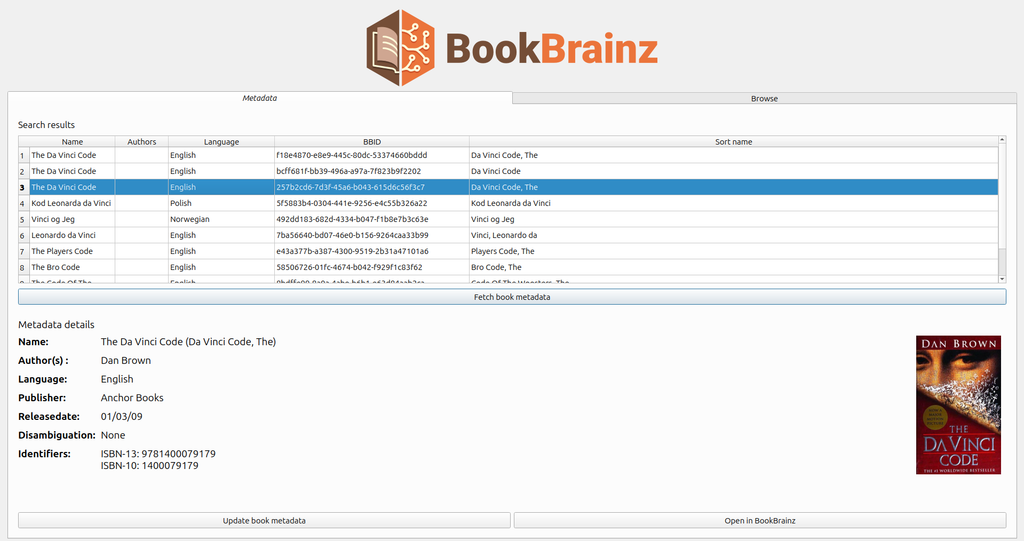
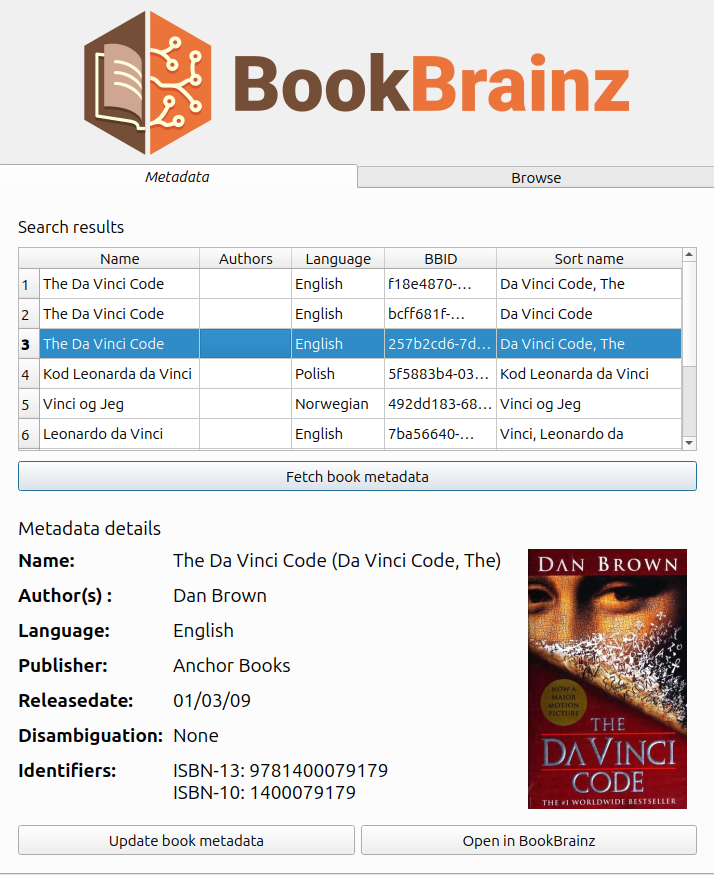
When the plugin first opens, it shows the results found by querying BookBrainz search API endpoint with the selected books title.
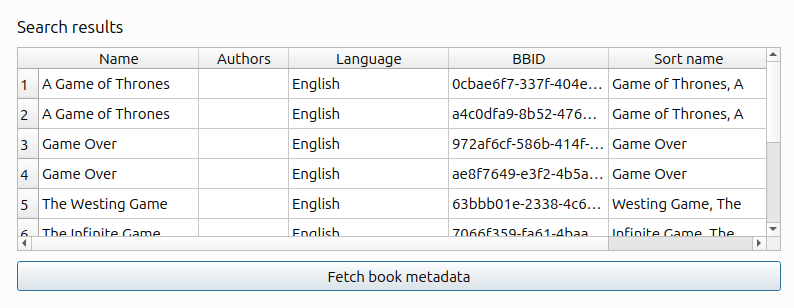
After fetching the initial search results for books, the user selects their book of choice from the table and fetches its metadata.
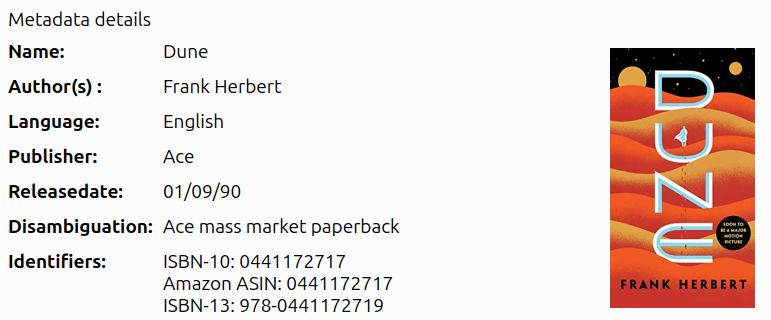
Here we use /edition/{bbid} endpoint for fetching detailed metadata.
In this step we also fetch the corresponding identifiers (eg: isbn-13, isbn-10) using the /edition/{bbid}/identifiers endpoint.
Also for the editions, their isbn-13 or isbn-10 identifiers were used to fetch their cover art from Open Library.
To make parallel API requests I utilized python’s ThreadPoolExecutor, which drastically reduced the latency.
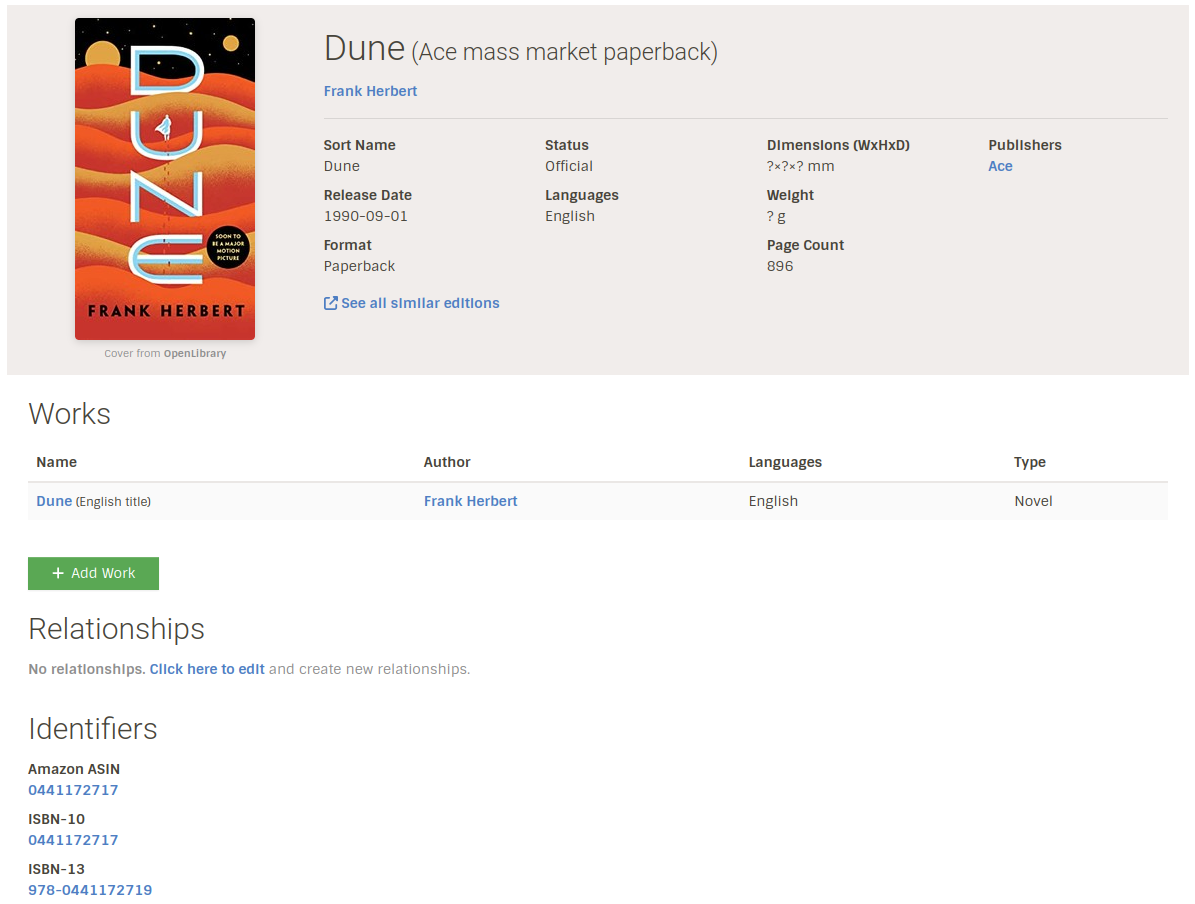
The users also have the option to open the selected book in BookBrainz , I used QUrl to handle this.

Browse Tab
This tab was mainly for text searching and surfing through BookBrainz editions from calibre. It uses the same search endpoint that we saw earlier the only difference is this time the user gives the book title as an input.
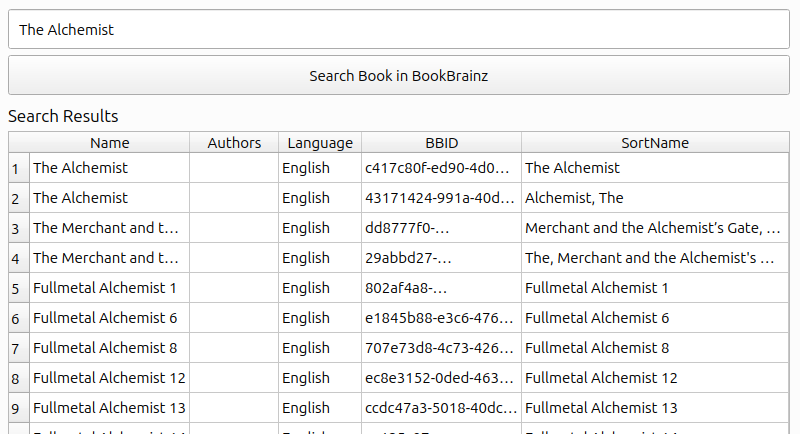
The two main features of the tab were downloading metadata in JSON format and adding a selected book to Calibre.
NOTE: We add an empty book entry with the complete metadata but without content (without any readable format).

I also handled errors throughout the plugin using QMessageBoxes, and used QStackedWidgets to display different states while API calls.

The plugin uses Qt’s layout management system (QVBoxLayout, QHBoxLayout, QGridLayout) to handle UI resizing automatically. Widgets are assigned size policies (Expanding, Fixed) and minimum size constraints to control how they adapt when the dialog is resized.
Current State
Currently work for metadata Tab and browse Tab is done and I hope they will be merged soon after some review and improvements.
Under Review:
1. [Metadata tab setup]: https://github.com/bookbrainz/CaliBBre/pull/6
2. [Browse tab setup]: https://github.com/bookbrainz/CaliBBre/pull/8
3. [Documentation and installation guide]: https://github.com/bookbrainz/CaliBBre/pull/7
Merged:
1. [Add authors to search API endpoint]: https://github.com/metabrainz/bookbrainz-site/pull/1247
2. [Cleanup and improve file structure]: https://github.com/bookbrainz/CaliBBre/pull/3
Whats next ?
Due to additional features and refactoring work I could not add the collection search feature in time, although I think it should be an easy addition to the browse page when we get the new API endpoint running. So I plan to work on this after the GSoC period also if I get time, it would be a good addition to the plugin.
Experience
Although I was familiar with Calibre, this was my first time making a plugin for it. Learning the Qt Framework for creating the UI was a bit of challenge but it got easier after getting the hang of it.
I learned more about Calibre internals and how it is implemented under the hood.
While exploring Qt frameworks I got to know about operating systems, and developed a deep understanding about threads (Threadpool, Qthread, pyqtsignal) and their use cases.
Also while going through the database of BookBrainz, I got to know the amount of detailed information a book can contain, which I never encountered before.
I also got more exposure to using Git efficiently, I discovered git reflog, and understood the importance of rebasing, cherry-pick, stash, branching etc, during development.
Acknowledgement
I am grateful to my mentor Nicolas Pelletier and MetaBrainz community for giving me a chance to work on this project. The code reviews helped me improve my coding style and made me familiar with writing quality code.
Also it was fun sharing my progress through the Monday meetings and looking into what everyone is up to. So yeah overall it was a great experience for me 🙂